
Warranty software a team of two can run.
Owners scan the QR code on your product and they're registered. Claims arrive pre-checked in the same inbox as every other question, and you start on a free plan.
What do you need help with?

Claims, questions and WhatsApp in one inbox.
A small team can't watch three tools. Every claim and question lands in one place, with the owner's registered products and warranty beside each reply.
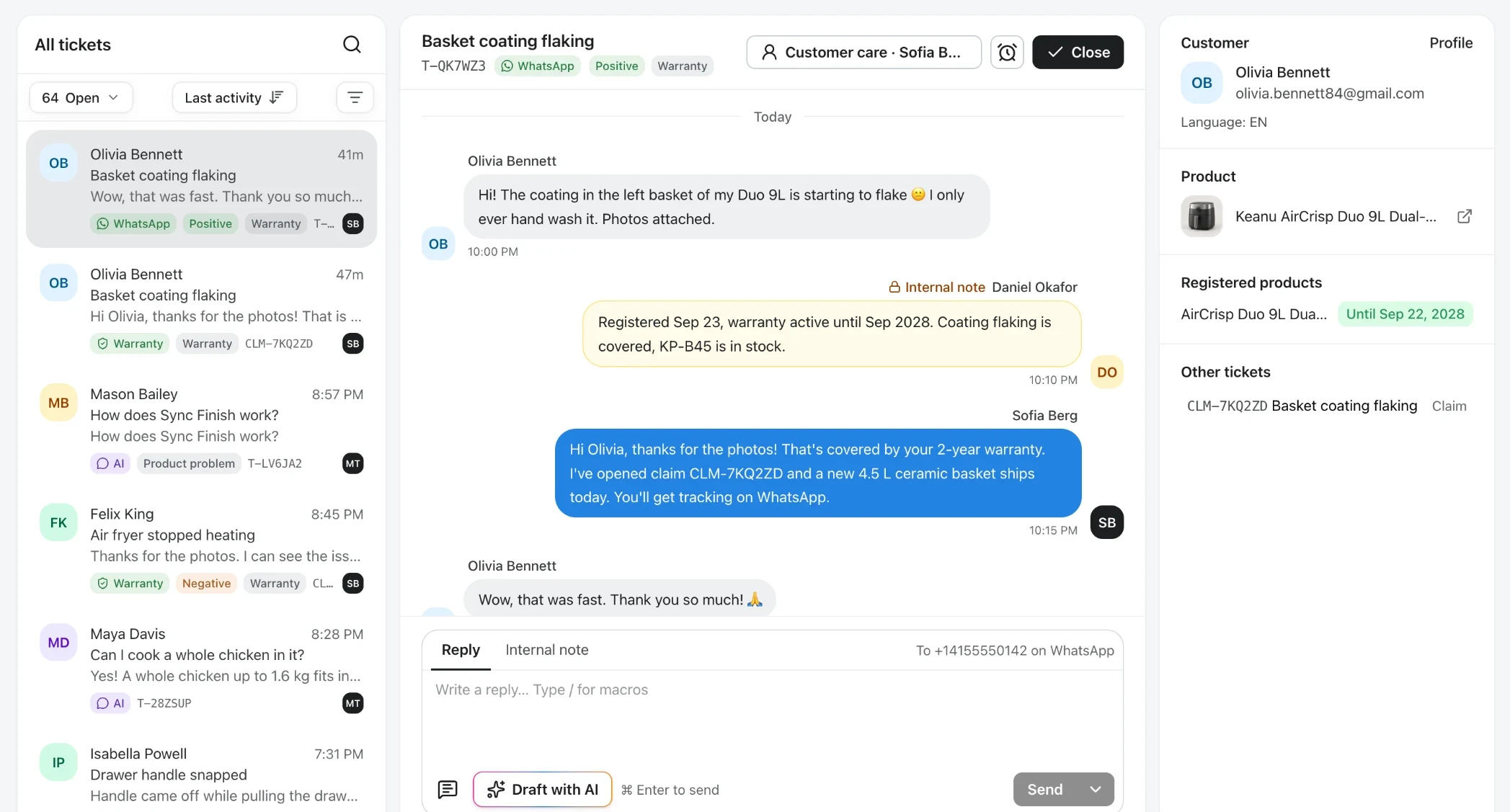
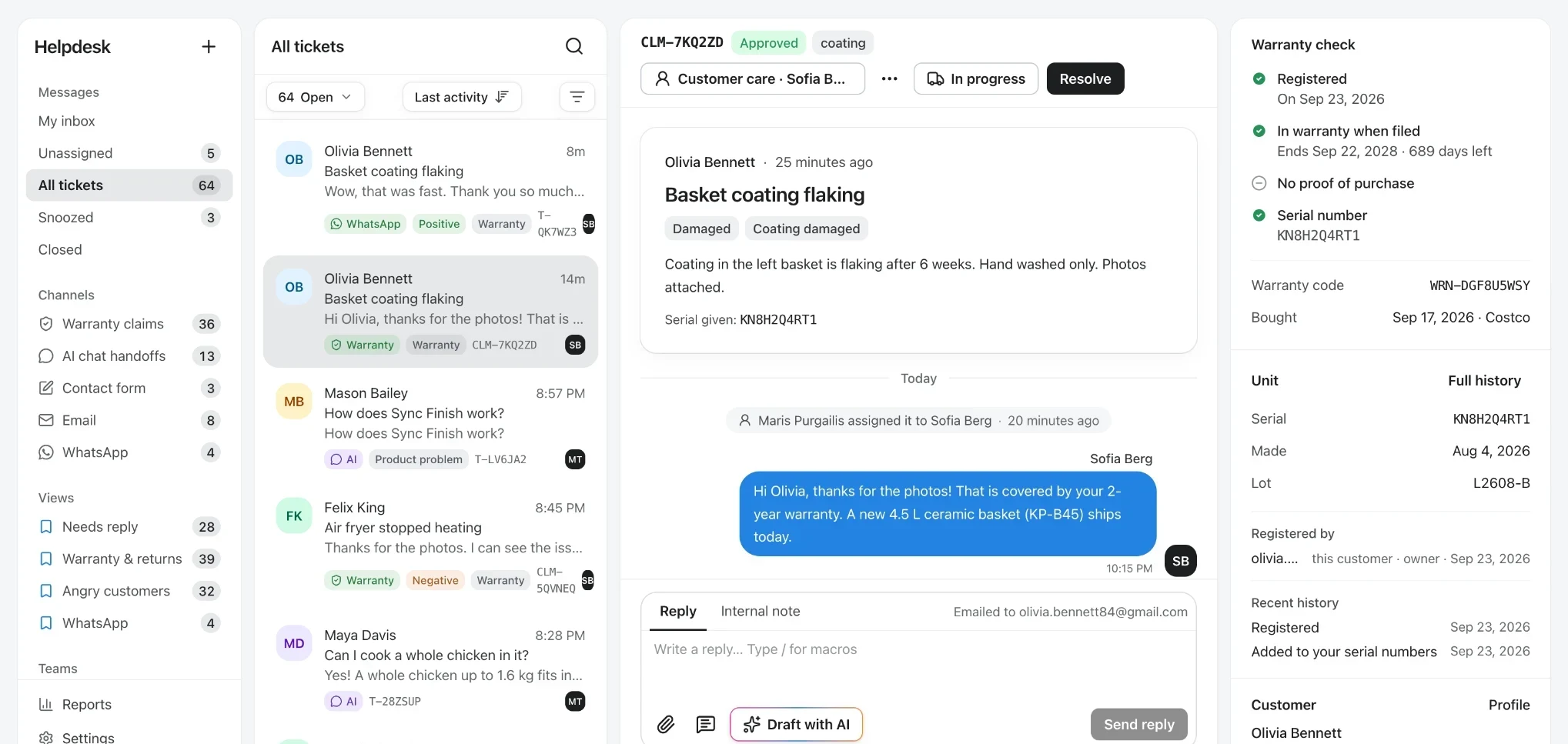
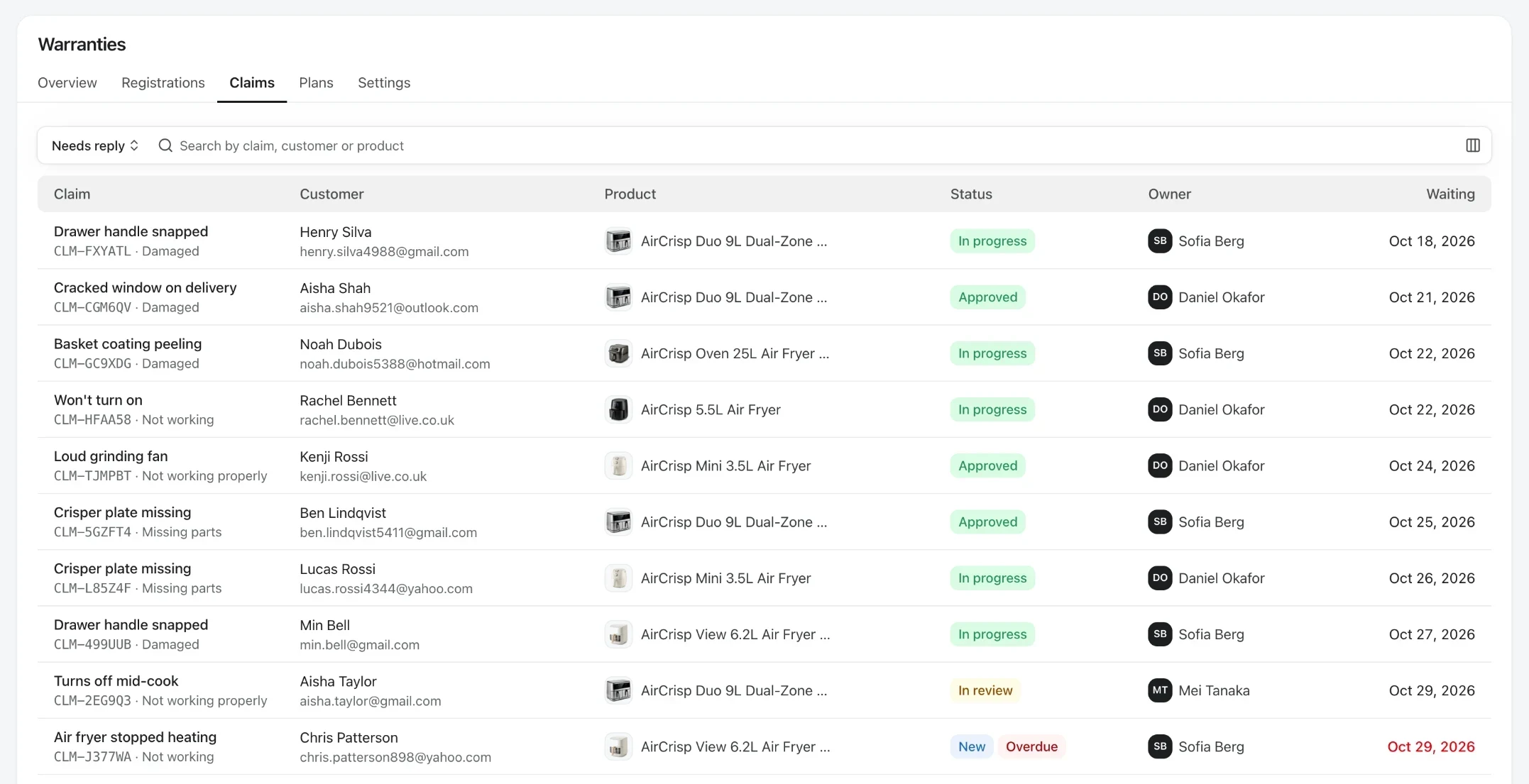
- One inbox
- Email, contact form, AI chat hand-offs, WhatsApp and claims.
- Pre-checked claims
- Warranty status, proof of purchase and serial flags on arrival.
- Nothing goes late
- A first-reply target, with an alert when a claim runs over.
What does warranty software do for a small business?
It gives you a record of who owns each product and when their warranty ends, and handles claims from first report to resolution, without a claims department. For a small brand selling through retailers, it's also the only way to know your customers.
Registered in one scan
No website to find and no form to hunt for. The QR code on the quick-start card opens the product's own page.
Proof on file before anything breaks
Purchase date, place of purchase and receipt are saved at registration, and the warranty certificate arrives by email.
Claims from the same page
When something goes wrong, the claim form is one tap away, with the product and warranty already known.


Stop claims for products that aren't broken
Many products sent back under warranty work fine: the owner got stuck on a setting or a setup step. Nobody reads a 50-page manual, but everybody asks a question. Answer it before the claim form, and a return becomes a happy customer.
Help before the claim form
Show troubleshooting articles and the AI assistant first, with the claim form still one tap away.
Answers from your manuals
The AI assistant answers in plain language from your manuals and guides, in the language the owner writes in.
See which fixes work
Each claim records the articles the owner read and whether they asked the assistant, so you know which guide to improve.

How a warranty claim runs with a small team
From the owner's first report to a resolved claim, with people only where a decision is needed.
- Step 1
The owner reports a problem
They scan the QR code, try the suggested fix, and file a claim with photos if it's a real fault. Unregistered owners register with their receipt as they claim.
- Step 2
The claim arrives pre-checked
Warranty status, registration and proof are beside it, with flags such as a serial number claimed by another owner. Urgent or angry claims move to the top.
- Step 3
Rules do the routine
Assign it, tag it, ask for a missing receipt or approve it. A “Chase missing photos” flow follows up by email.
- Step 4
You decide and follow up
Approve a replacement, repair, refund, store credit or spare part and reply. A satisfaction survey and a check-in after the fix go out for you.
Built so two people can do a claims team's work
Claims arrive complete, rules do the chasing, and the numbers tell you what warranty costs you.
Rules and flows do the chasing.
Require photos or a video per claim reason, add your own questions, and let rules ask for what's missing, assign the claim or approve the routine ones. You step in for the decision, not the emails.

Know what warranty really costs you.
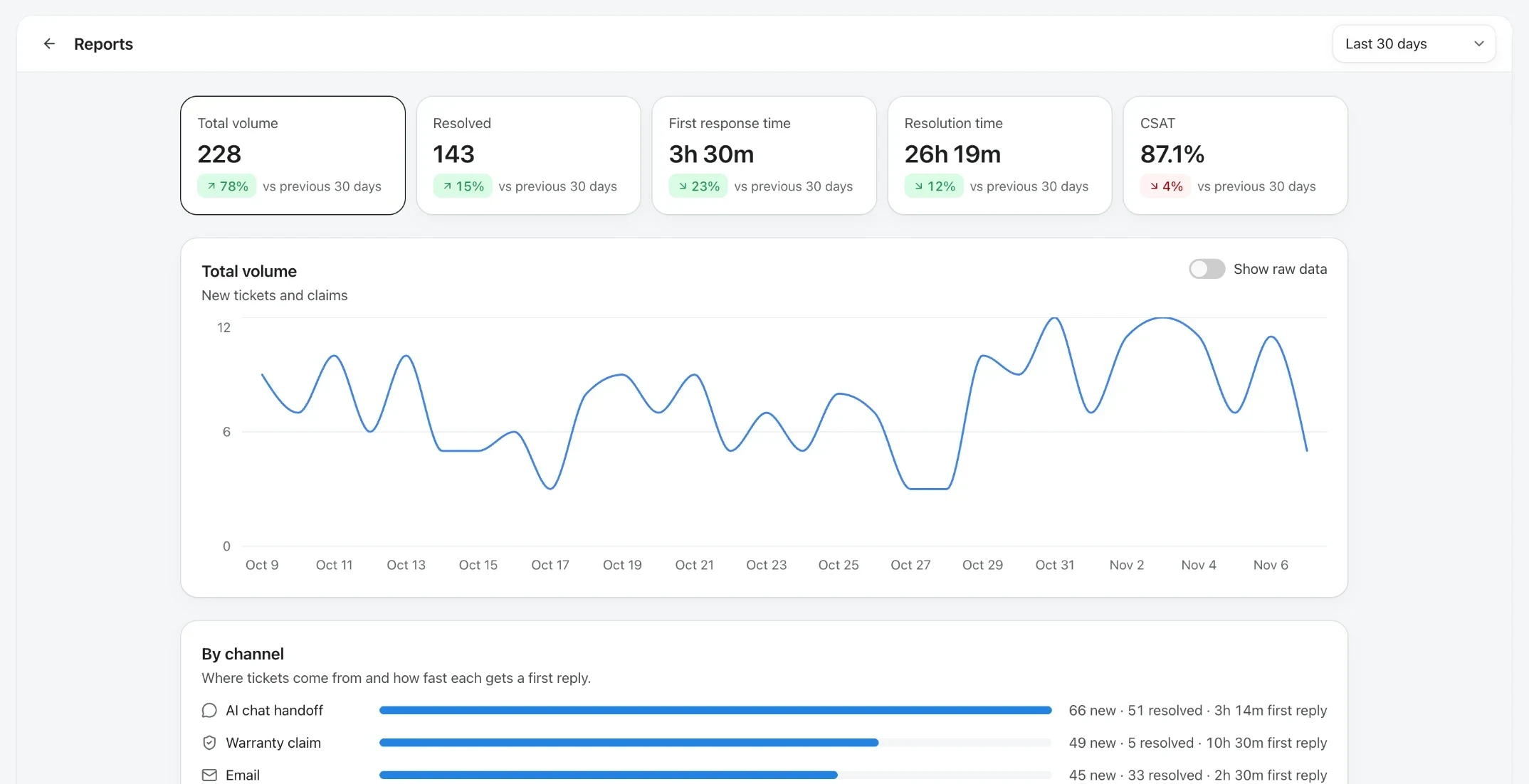
Every claim records shipping, parts, labor and replacement costs and the parts you replaced. See approval rate, first-reply time and time to resolve against last month, and which products drive your claims.
What warranty software costs a small business
Pay for what you use, with every price published. Your first paid month costs $1, and yearly billing is 20% off.
$0
250 owners, 50 tickets and 50 AI chats a month
Start free
Up to 100 products, 250 registered owners, 50 helpdesk tickets and 50 AI chats a month, with no time limit.
$118/mo
Grow for $118 a month
Registration, warranties and claims for 2,500 owners ($49), plus the helpdesk for 500 tickets a month ($69).
Team


3 team members included
Every plan includes three people. Add more for $15 each a month when the team grows.
See all prices →Grow without switching tools
The same account takes you from your first hundred owners to tens of thousands. Add what you need, when you need it.
Your own domain
Product pages and emails on your domain, without Veribl branding. $49 a month.
API and webhooks
Send registrations and claims to your shop, CRM or ERP. $79 a month.
Enterprise controls
Single sign-on, provisioning and an uptime commitment for larger teams.
EU Digital Product Passports
Publish the passport from the same product record, free for 100 product models.
Frequently asked questions
Choosing warranty software for a small team?
Turn every product into your best channel.
 4.8/5 on G2